Weekly review for work: a Friday shutdown that clears the week

A weekly review for work is a short Friday (or Sunday) ritual that closes open loops, checks the next two weeks on the calendar, and writes a rough plan for Monday. Pair it with a five-minute daily shutdown so you are not carrying unfinished tasks into the evening. You don't need a perfect system, just enough structure that your brain can stop rehearsing work after hours.
Why Fridays beat Mondays for most people
Monday reviews often get eaten by the first meeting. A Friday review, even a short one, catches next week's deadlines while you still have time to move them. Cal Newport's shutdown ritual is a daily version of the same close-out, and his case for it is that once tasks and the calendar are checked, evening rumination drops because the plan already exists (Cal Newport on the work shutdown ritual).
You can skip Newport's exact phrase.
What you need is a fixed sequence and a clear signal that you're done.
The Friday weekly review (45 minutes)
Block it on the calendar like a meeting. Put your phone face down, and keep the inbox closed except for the capture step.
Minutes 0 to 10: capture
- Empty every place work hides: notebook, sticky notes, Slack "remind me", flagged email, the notes app on your phone.
- Dump each item into one list. Don't organize yet.
- Star anything due in the next five working days.
Minutes 10 to 20: calendar
- Look at today through two weeks ahead.
- Mark hard deadlines, travel, interviews, and any day that is already 70% meetings.
- For each overloaded day, decide now: move a meeting, shrink the deep work you hoped for into a smaller block, or accept that the day is admin only.
Minutes 20 to 35: projects
For each active project, write one line:
- Next physical action: something concrete like "send draft to Sam", "open the brief" or "book the room", never "work on X".
- Waiting on: the person, and the date you'll nudge them.
- Parking lot: ideas that aren't this week's work.
If a project has no next action, come up with one or mark the project paused.
Minutes 35 to 45: Monday preload
Write three outcomes for next week. Three, not twelve. Then schedule:
- One protected focus block on the day with the fewest meetings.
- One admin block for email and messages.
- Next week's Friday review, at the same time.
Finish by saying or writing Weekly review complete. That line is your close.
Daily companion: the five-minute shutdown
Do this at the end of every workday so Friday doesn't turn into a mountain.
- Move today's capture scraps into the master list.
- Glance at tomorrow and the day after.
- Write tomorrow's first task in one sentence.
- Close the laptop. If you like a spoken cue, use Newport's "Schedule shutdown, complete" or any short line you'll repeat every day.
Research on unfinished goals found that making a specific plan for incomplete work removed the intrusive thoughts those goals otherwise caused (Masicampo and Baumeister, 2011). In practice: plan the next step, then stop.
One-page week preload (copy this)
Week of: ________
Three outcomes:
1.
2.
3.
Protected focus: Day ____ · Time ____ · Task ____
Admin window: Day ____ · Time ____
Meetings to decline or shorten:
Waiting on:
Parking lot:
Friday review: ____:____
Print it, or keep it as the first note in your weekly doc.
Common failure modes
- The review turns into inbox zero. Cap email at ten minutes. The review is for projects and the calendar, and clearing the inbox can wait.
- Too many outcomes. Three makes for a stretch week. One is fine when you're traveling.
- No protected focus. If every day is meetings, the review's job is to group them together and win back one 90-minute block. A later guide covers deep work in more detail.
- Skipping the close. Without a clear end, you've held a planning session but never actually shut down.
Worked example: a messy Friday
Jordan is a product manager with two standups left, a deck due Monday, and a Slack thread that won't die.
- Capture (8 min): Moves three sticky notes, two Slack reminders, and one flagged email into the list. Stars "deck outline to Sam" and "confirm vendor call Tue."
- Calendar (7 min): Tuesday is 80% meetings. Moves the deep work to Monday from 9:00 to 10:30 and shortens Wednesday's optional sync.
- Projects (12 min): The deck's next action is "open outline doc, write three slide titles." The vendor is waiting on Priya, with a nudge on Monday. Parking lot: Q2 offsite ideas.
- Monday preload (10 min): Outcomes are (1) outline sent, (2) vendor confirmed, (3) hiring scorecard started. Focus block on Monday morning, admin at 4:00 on Tuesday. Says "Weekly review complete."
That's about 37 minutes in total. Jordan's evening stays mostly free of work, because tomorrow's first action is already written down.
Do it in Unmiss
Run the Friday script as a routine
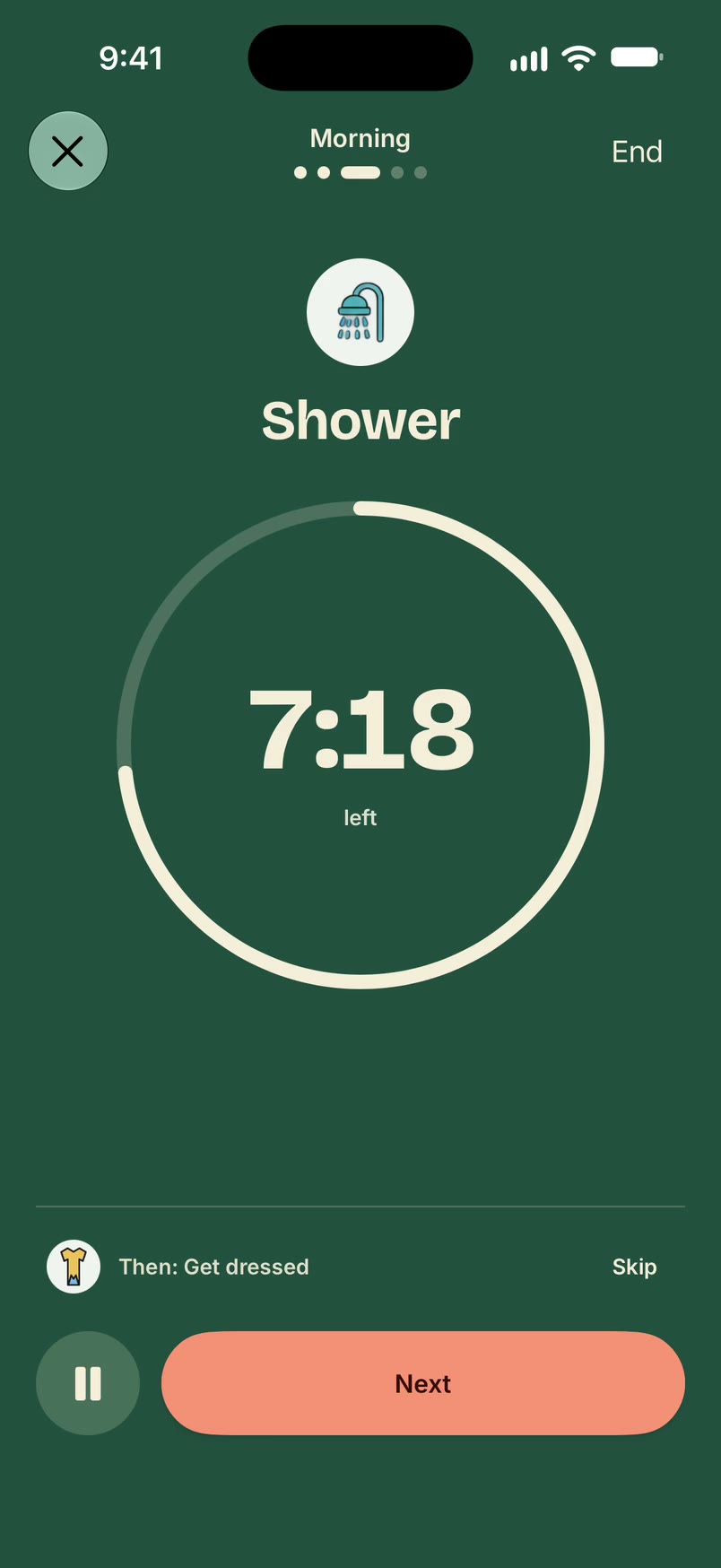
Unmiss has a ready-made Weekly planning routine: review the calendar, list important commitments, choose top priorities, plan meals or errands, schedule key tasks, and prepare for Monday. Swap its steps for the four parts of the Friday script, or build a short routine from the five-minute card, and put a timer on the steps that need one. A step is done only when you say it is. To put next week's three outcomes on actual days, see Plan my day.

Questions
How long should a weekly review take?
The script above takes about 45 minutes once a week. Add the five-minute daily shutdown and Friday stays short.
Friday or Sunday?
Friday catches next week's conflicts while colleagues can still reply. Sunday works if your job ends early on Friday or you need a quieter room. Pick one and stick with it.
What if I miss a week?
Do a 15-minute pass through capture and the calendar, then go back to the full script the following Friday. Don't try to catch up with a two-hour review.
Is this the same as Getting Things Done?
It borrows the weekly review that GTD-style systems share, but this version is deliberately smaller: capture, calendar, next actions, and the Monday preload.
Sources
- Cal Newport, Drastically Reduce Stress with a Work Shutdown Ritual
- E. J. Masicampo and Roy F. Baumeister, Consider it done! Plan making can eliminate the cognitive effects of unfulfilled goals, Journal of Personality and Social Psychology, 2011
More guides

Body doubling for ADHD: how to run a session (with a script)
What body doubling is, how to run a 45-minute session, a partner script, and how light accountability differs from sharing private steps.
How to stop doomscrolling (at night and in the morning)
Stop doomscrolling at night and in the morning: a phone-setup checklist, things to do instead, and short scripts for ADHD, parents, students and work.