How to stop doomscrolling (at night and in the morning)

To stop doomscrolling, change your setup before willpower runs out: charge the phone away from the bed, turn off news and social alerts, set a hard end time, and swap the scroll for one action you planned ahead. Use a night script to get out of bed-scrolling and a morning script so the day doesn't start inside a feed. Staying informed still matters. Give it a short window you chose, and let the endless loop go.
Practical habit support, not medical advice. If news anxiety, sleep loss or mood problems are severe or lasting, talk with a clinician. If you are in crisis, contact local emergency services or a crisis line such as Samaritans (UK) or your regional equivalent.
What doomscrolling is, and what common advice leaves out
Doomscrolling is the habit of scrolling endlessly through upsetting or negative content online, even when it makes you feel worse (Cleveland Clinic). News and social feeds always have another post waiting, so nothing tells you to stop.
The usual advice is sound: set boundaries, move the phone, mute alerts, notice how you feel. This guide adds a night plan paired with a morning plan, a one-page phone setup, and a menu of replacements you pick once, while you're calm. Willpower at midnight is a weak plan. Your surroundings and a ready next action do more (UW Medicine Right as Rain; Samaritans practical tips).
Phone-setup checklist (do it once)
Copy this and tick it off tonight. The tools already on your phone are enough to start (Samaritans; Cleveland Clinic).
- The charger lives outside the bedroom or across the room, not on the nightstand.
- An alarm clock or watch wakes you, so the phone doesn't need to sit by the pillow.
- Do Not Disturb or Sleep Focus runs from your target bedtime to your wake time.
- If you wake in the night, the phone stays face down or in another room.
- Push alerts are off for news apps and the social apps that pull you into long scrolls.
- Screen Time or Digital Wellbeing limits sit on your two worst feeds (start with 15 to 20 minutes twice a day if you still want a window).
- Optional: switch to grayscale after a set evening hour so feeds look less appealing.
- Optional: log out of the worst app so opening it takes an extra step.
Focus rules
When you need a block for work or study, pick one rule and write it on a sticky note:
| Rule | When to use it |
|---|---|
| Phone in another room | Deep work, exams, bedtime |
| Apps closed, or a Focus mode for N minutes | Desk work with one allowed tool |
| Home screen with utilities only (clock, maps, calls) | A week of rebuilding the habit |
| One timed news window, then done | Staying informed without the loop |
The goal is friction before the feed, not a perfect digital detox.
Things to do instead
When the urge hits, do one item you already chose, then stop. Deciding ahead of time what comes after a limit makes it easier to leave the feed (Samaritans; UW Medicine).
Circle three you'd really do on a tired night. Keep the list where you charge the phone.
Night script: get out of bed-scrolling
Bedtime scrolling can turn into a wind-down that never ends. Plan the whole stretch before bed, not only the moment you put the phone down (Samaritans).
- Pick a cutoff, for example 30 to 60 minutes before lights out, and set an alarm labeled "Phone away."
- Do one last useful check if you need it: alarm set, tomorrow's first task written down, charger plugged in away from the bed.
- Plug the phone in at its charging spot. Say or write "Night scroll closed."
- Do one item from the menu, such as a book, a stretch or a cup of tea.
- Turn the lights down. If you wake and reach for a feed, the empty nightstand is your reminder. Walk to the charging spot only if you must, and come back without opening a social app.
On a bad night, do the 10-minute version: phone on charge away from the bed, wash your face, one chapter or one song, lights out.
Morning script: don't start the day on the feed
Checking news or social media first thing is a common sign of doomscrolling (Cleveland Clinic). A watch or alarm clock makes the "just check once" trap less likely (Samaritans).
- Wake up without the feed. Use an alarm clock if you can. The phone stays on charge until you've done the first real step of your morning.
- Spend the first 10 minutes offline: bathroom, water, curtains, clothes, or your kids' morning checklist or ADHD morning anchors.
- Save the news for later if you want it: 10 to 15 minutes after breakfast or mid-morning, on a timer, followed by a replacement action (tea, a walk, opening the work doc).
- If you already opened a feed in bed, close it, put the phone on charge, and start again at step 2. Don't "finish the thread" first.
Pair this with time blocking so your first focus block has its first physical action written down.
How this looks for different people
People with ADHD
Practical support, not a diagnosis.
Fewer decisions work better than more rules: one charging spot, one cutoff alarm, one replacement on a sticky note. If the replacement is hard to start, make the first physical action tiny, like standing up, plugging in the cable, or opening the book at the bookmark. If nights keep slipping, body doubling in the evening can help you shut down.
Busy parents
Keep the cutoff you want your kids to see you keep. Charge phones in the kitchen. After the kids' bedtime, use the short night script so your own scrolling doesn't eat the only quiet hour. A later guide covers kids' bedtime screens; for now, keep adult news off during their wind-down.
Students
Protect your sleep before exams: use the night script and stop following new stories. Put the practice-test block from your exam-week schedule before any social window. Between classes, 25 minutes with a study card is a better use of the gap than "just five minutes" on a feed.
Working professionals
Keep news out of your deep-work blocks. Use one of the focus rules above during a protected block, then give yourself a timed news window afterward. The news window doesn't replace the shutdown from your weekly review. Rumination at the end of the day often starts as "one more headline," so close with the five-minute shutdown and then the night script.
Do it in Unmiss
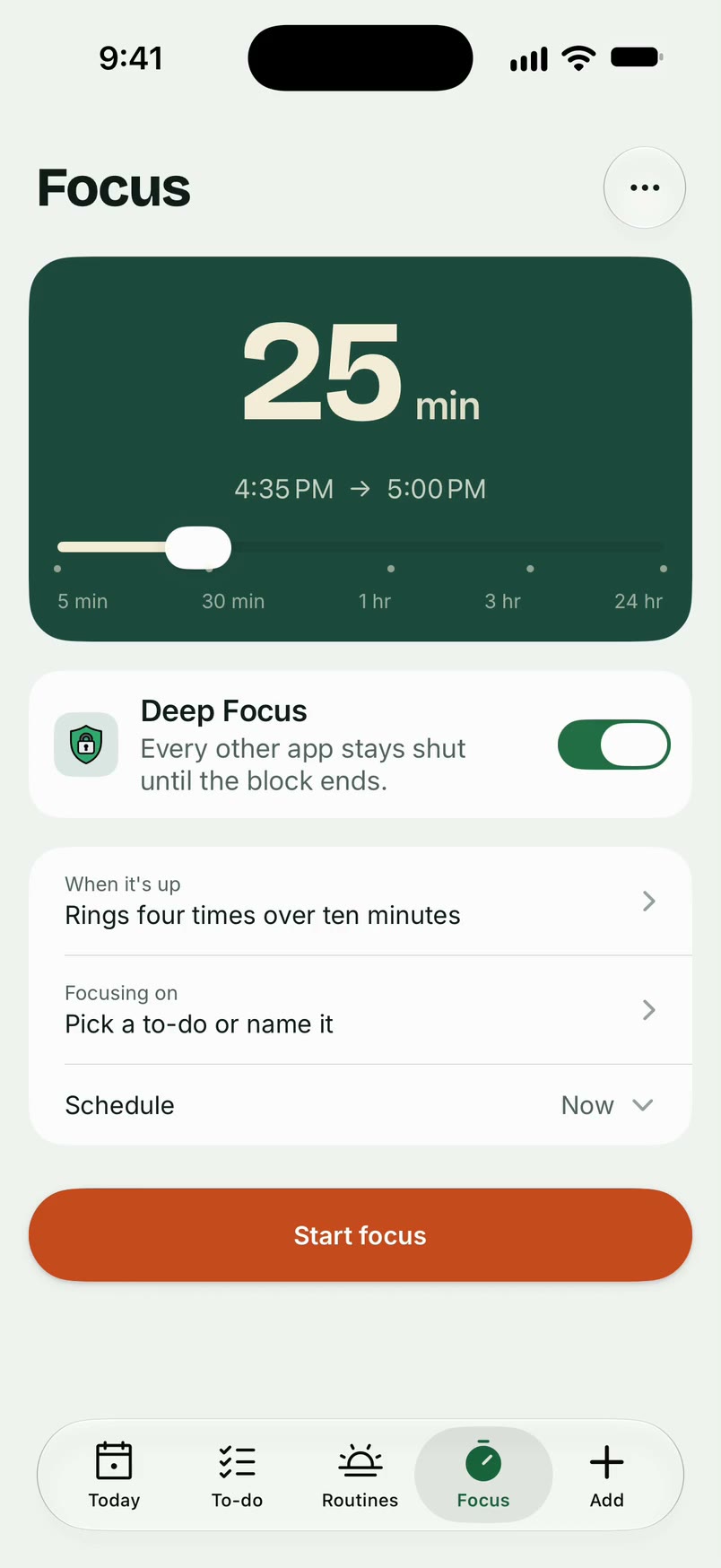
Keep the apps you pick shut until the block ends
If a timer helps more than a vague promise, Unmiss Focus can keep the apps you pick shut until a block ends, while you work or wind down, and an evening routine can run as named steps (plug the phone in, stretch, lights out). The checklists above work on paper too.

Questions
How do I stop doomscrolling at night?
Charge the phone outside the bedroom (UW Medicine), turn off news and social alerts, set a cutoff alarm, and replace the scroll with one calm action you planned, such as reading a paper book before sleep (Samaritans).
How do I stop scrolling in bed in the morning?
Use a separate alarm if you can, leave the phone on charge until you've done your first offline steps, and schedule a short news window later, with a timer.
Is it OK to read the news at all?
Yes. Decide when, where and for how long (Cleveland Clinic). Set a limit on your screen time or your news reading, and curate your feeds toward sources you trust (Samaritans).
What if I feel worse but keep scrolling?
That pattern is common. Pause and notice how your body feels. If you feel worse, take that as your signal to stop and switch to a replacement action (Cleveland Clinic; Mayo Clinic Press). If you can't step back, look for extra support.
Do grayscale and app limits really help?
They add friction, which can help. Limits on their own are easy to override, so pair them with physical distance and something to do instead (UW Medicine).
Sources
- Cleveland Clinic, The Dangers of Doomscrolling and How To Stop
- Samaritans, Practical tips if you find yourself doomscrolling
- UW Medicine Right as Rain, How to Stay Informed Without Falling Into Doomscrolling
- Mayo Clinic Press, Doomscrolling: Stop the scroll, protect your mental health
More guides

Body doubling for ADHD: how to run a session (with a script)
What body doubling is, how to run a 45-minute session, a partner script, and how light accountability differs from sharing private steps.
Time blocking without scheduling every minute
Flexible time blocking for work, school, parenting, and ADHD: theme blocks, one focus block, 25% padding, and a one-page day template.